nRF5 SDK is not maintained anymore
More Info: Consider nRF Connect SDK for new designs
This post is older than 2 years and might not be relevant anymore
More Info: Consider searching for newer posts

not able to debug nRF9160 DK getting error "Failed to download application Generic error"

Hi,

My working environment:

NCS folder Tag:v1.2.0

J-Link version : v6.62a

SES version:4.42a

test sample code:\NCS\nrf\samples\nrf9160\cloud_client

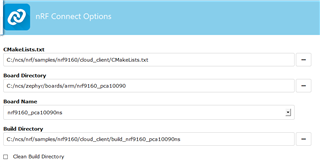
nrf connect environment option:
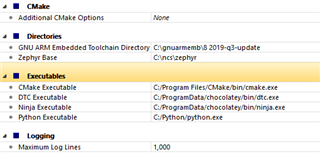
When I tried to debug by pressing F5, I am getting error as

"Failed to download application Generic error,Please check J-link and target connection"

Not able to enter into debug mode.Can you please help how to debug a code.

Parents
  • Hi Praveen,
    I was able to reproduce this issue, there seem to be some issues that we need to investigate.

    However, please try out this workaround:

    Please try to go in SES "Target"--> "Disconnect".

    Open CMD and use the command :

    nrfjprog -e

    Then in SES, "Build"--> "Build and Debug"

    (if a question pops up to rebuild, please press yes)

    Then you should be able to debug.

  • Hi Martin,

    I was able to go in debug mode, if I do erase all from nrf connect v3.3.0->Programmer.

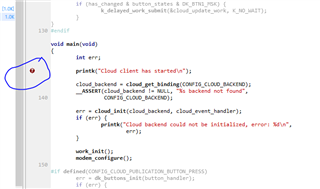
    When I put break point in main() function it is showing as "no code for breakpoint" as shown in below snapshot

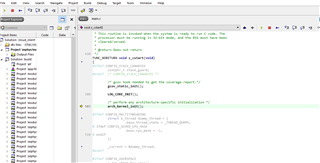
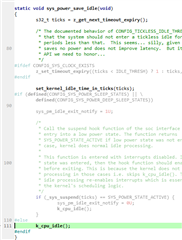
    If I do step execution (pressing F10) , its not coming out of the function sys_power_save_idle(void) in idle.c file.

    Can you please help me in debugging the project.

  • There is an issue with the current version.
    For the moment, I recommend you use Segger Ozone instead of SES for debugging: 
    https://www.segger.com/products/development-tools/ozone-j-link-debugger/

  • Hi,

    We have so far discovered two issues.

    One is the J-Link shipped with SES 4.42a seems to have problems with the flash operation.

    Currently I have verified that downgrading to J-Link 6.50, that is replacing `JLink_x64.dll` and `JLinkDevices.ref` in SES 4.42a with the version found in J-Link 6.50, removes any flashing issues.
    Note: Other J-Link version may also work, I have only checked with 6.50 so far.

    Regarding the breakpoint placement in SES and symbol loading for debug experience, then we have discovered this is due to wrong order of elf files in SES debug options.

    The elf-files MUST be listed with the lowest address elf first, i.e. the elf starting at address 0x0.

    In the asset_tracker app, this will be the correct order:

    1. mcuboot/zephyr/zephyr.elf
    2. spm/zephyr/zephyr.elf
    3. zephyr/zephyr.elf

    To change order, Right click on Project 'zephyr/merged.hex' -> Options

    Click Debug -> Debugger, and the re-order the elf files listed.

    Correct order.

Reply
  • Hi,

    We have so far discovered two issues.

    One is the J-Link shipped with SES 4.42a seems to have problems with the flash operation.

    Currently I have verified that downgrading to J-Link 6.50, that is replacing `JLink_x64.dll` and `JLinkDevices.ref` in SES 4.42a with the version found in J-Link 6.50, removes any flashing issues.
    Note: Other J-Link version may also work, I have only checked with 6.50 so far.

    Regarding the breakpoint placement in SES and symbol loading for debug experience, then we have discovered this is due to wrong order of elf files in SES debug options.

    The elf-files MUST be listed with the lowest address elf first, i.e. the elf starting at address 0x0.

    In the asset_tracker app, this will be the correct order:

    1. mcuboot/zephyr/zephyr.elf
    2. spm/zephyr/zephyr.elf
    3. zephyr/zephyr.elf

    To change order, Right click on Project 'zephyr/merged.hex' -> Options

    Click Debug -> Debugger, and the re-order the elf files listed.

    Correct order.

Children
No Data
Related